Description
Protect your WordPress sitemap from public access without hurting SEO.
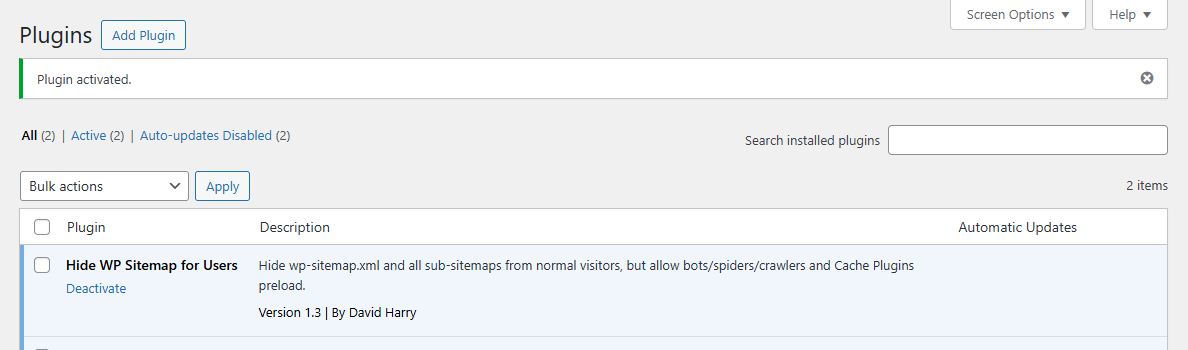
Hide WP Sitemap for Users allows you to block normal visitors from viewing wp-sitemap.xml and all its sub-sitemaps, while still allowing search engines, crawlers, and cache preload bots to access them normally.
Perfect for site owners who want more privacy, security, and control over their site structure.
What This Plugin Does
-
Hides
wp-sitemap.xmlfrom regular visitors -
Allows Google, Bing, and other search engine bots
-
Works with cache plugin preload bots
-
Keeps SEO fully intact
-
Lightweight, no settings required
-
Prevents sitemap snooping and structure exposure
Why You Need It
By default, WordPress exposes your sitemap to everyone. This can:
-
Reveal your website structure
-
Expose hidden or sensitive URLs
-
Help scrapers and competitors analyze your content
This plugin fixes that by blocking human visitors while allowing trusted bots.
How It Works
-
Detects real visitors versus bots and crawlers
-
Returns a restricted response for normal users
-
Allows access for:
-
Search engines
-
SEO tools
-
Cache and performance plugins
-
No configuration needed. Just install and activate.
How to Test the Plugin
1. Test as a Normal Visitor
-
Open a private or incognito browser window
-
Visit:
-
Also test sub-sitemaps, for example:
Expected result:
You should see a 404 page. The sitemap XML should not be visible.
2. Test as an Admin User
-
Log in to WordPress as an administrator
-
Visit:
Expected result:
The sitemap is still blocked. This confirms the plugin hides the sitemap from all human visitors.
3. Test as a Search Engine Bot
Using a command line or server terminal, run:
Expected result:
The sitemap XML loads normally with HTTP status 200.
You can repeat this test using:
-
Bingbot -
AhrefsBot -
SemrushBot
4. Test Cache Plugin Preload
-
Enable cache preload in WP Rocket, FlyingPress, or LiteSpeed Cache
-
Clear cache and trigger preload
Expected result:
Preload completes successfully and no sitemap errors appear in logs.
5. Test Google Search Console
-
Submit your sitemap URL in Google Search Console
-
Use the “Inspect URL” feature on:
Expected result:
Google can fetch the sitemap without errors.
Compatibility
-
WordPress 5.5+ (default WordPress sitemap)
-
Compatible with cache plugins:
-
WP Rocket
-
FlyingPress
-
LiteSpeed Cache
-
-
No conflicts with SEO plugins such as Yoast, RankMath, and All-in-One SEO
Plugin Version
-
Current version: 1.3.0
-
Stable release
-
Backward-compatible updates
Lifetime Updates
Lifetime updates included.
All future improvements, bug fixes, and compatibility updates are provided at no additional cost.
No subscriptions. No renewal fees.
Instant Download After Checkout
After completing your checkout, the plugin is available for instant download.
No waiting time. Download, install, and activate immediately.
Use Cases
-
Membership websites
-
SEO-focused blogs and businesses
-
Private or internal projects
-
Sites concerned about scraping or competitive analysis
What You Get
-
WordPress plugin file, ready to install
-
Lifetime usage
-
Lifetime updates
-
Clean, lightweight, and maintainable code
Installation
-
Upload the plugin
-
Activate it
-
Your sitemap is protected
FAQs
Will this hurt my SEO?
No. Search engines and SEO bots can still access the sitemap normally. Only real visitors are blocked.
Does it work with Google Search Console?
Yes. Googlebot can access the sitemap without any issues.
Do I need to configure anything?
No configuration is required. Install and activate.
Does it work with SEO plugins?
Yes. Fully compatible with popular SEO plugins.
Can I disable it at any time?
Yes. Deactivate the plugin to restore default WordPress sitemap behavior.