Description
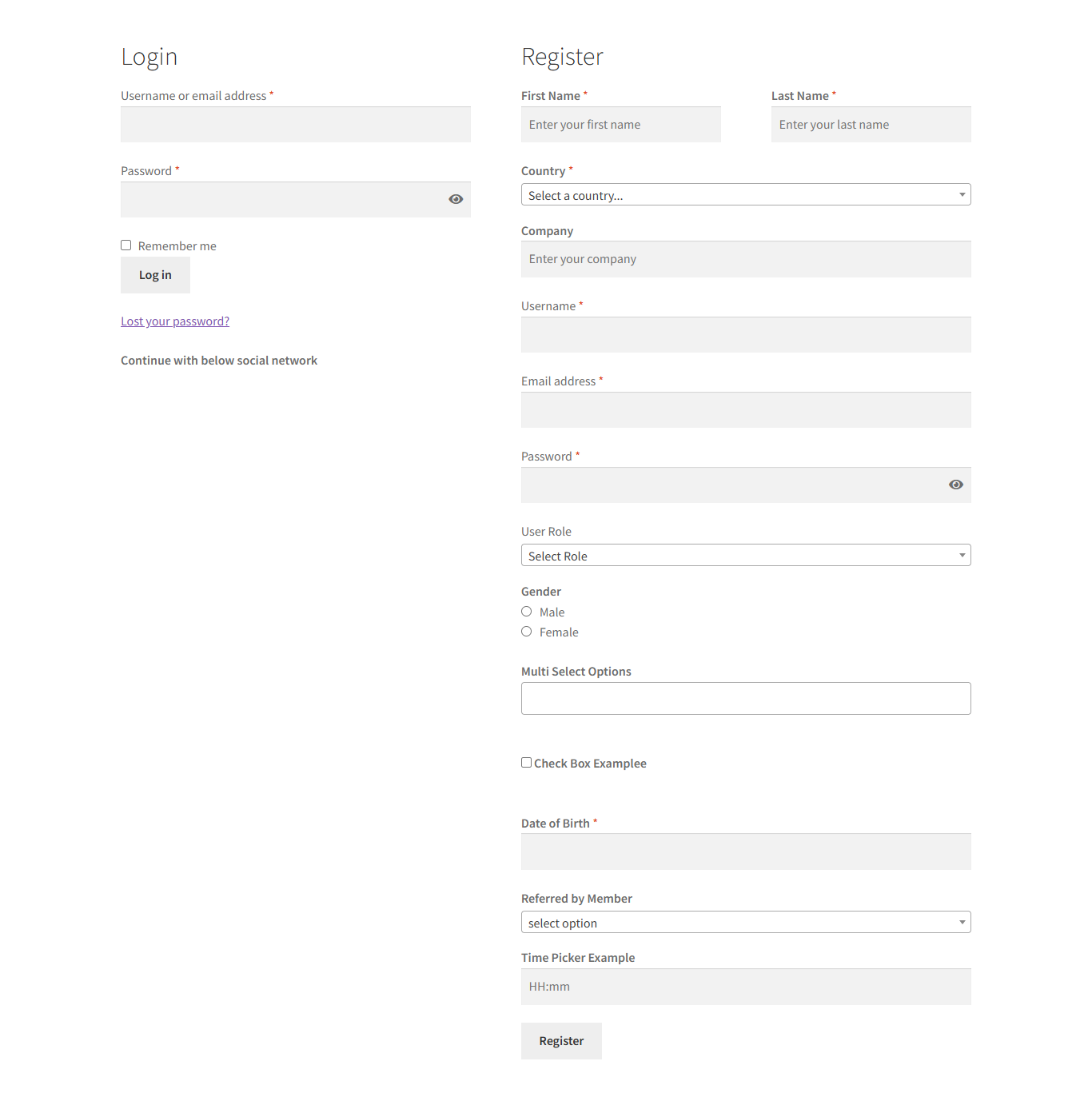
Custom Registration Fields for WooCommerce lets you fully customize your WooCommerce registration form by adding unlimited custom fields, user roles, and approval workflows. It is designed for store owners who need more control over customer data, access levels, and onboarding processes.
With an intuitive drag-and-drop interface, you can create a powerful and flexible registration experience without touching any code.
Key Features
Fully Customizable Registration Form
Add unlimited custom fields to your WooCommerce registration page using 17 different field types, including:
-
Text field
-
Text area
-
Select dropdown
-
Checkbox
-
Multi-select
-
Radio buttons
-
Date picker
-
Time picker
-
Password field
-
File or image upload
-
Color picker
-
Numeric field
-
Google reCAPTCHA
All custom fields (except file uploads) can also be displayed on the checkout page when users choose to create an account.
Drag-and-Drop Field Management
Easily add, remove, and reorder registration fields using a simple drag-and-drop interface. No coding or design changes are required.
Conditional / Dependent Fields
Create conditional registration fields that appear only when specific conditions are met. For example, display an additional field when a user selects a certain option such as profession or business type.
User Roles & Permissions
-
Enable user role selection on the registration page
-
Create custom user roles
-
Assign capabilities to each role
-
Automatically or manually approve users and roles
-
Grant limited access until approval is completed
Advanced User Management
Manage users directly from the admin panel:
-
Approve or reject registrations
-
Block or unblock users
-
Change user roles
-
Grant limited access
Custom Messages & Notifications
-
Display custom messages for blocked users
-
Show custom messages for users awaiting approval
-
Send customized email notifications for each user role status
Social Login & Security
-
Enable Google social login for faster registration
-
Protect registration forms with Google reCAPTCHA to prevent spam
-
GDPR-compliant module
WooCommerce Integration
-
Custom fields appear on:
-
Registration page
-
Checkout page (Create Account section)
-
My Account page (users can view and edit their information)
-
-
Compatible with WooCommerce User Dashboard plugins
-
WPML compatible for multilingual websites
Default WooCommerce Fields Control
Enable, disable, edit, or make default WooCommerce fields mandatory or read-only, including company name, address, phone number, and more.
How It Works
-
Install and activate the plugin
-
Go to WooCommerce > Settings > Registration Fields
-
Configure fields, roles, approvals, emails, and reCAPTCHA
-
Drag, drop, and customize the registration form as needed
Plugin Version
-
Current version: 1.1.2
-
Stable release
-
Backward-compatible updates
Lifetime Updates
Lifetime updates included.
All future improvements, bug fixes, and compatibility updates are provided at no additional cost.
No subscriptions. No renewal fees.
Instant Download After Checkout
After completing your checkout, the plugin is available for instant download.
No waiting time. Download, install, and activate immediately.
Frequently Asked Questions
Is this plugin compatible with WPML?
Yes, it is fully compatible with WPML.
Can I make fields mandatory or read-only?
Yes, any field can be marked as required or read-only.
Are custom fields shown on the checkout page?
Yes, all fields except file uploads are displayed when users create an account during checkout.
Can users edit their information later?
Yes, users can view and edit custom fields in the My Account section.
Where can admins view submitted data?
All custom registration data is stored in the WordPress database and visible in the Users section.
Can I reorder fields?
Yes, fields can be reordered easily using drag and drop.